
When and why to use this
Most of the editorial imagery on the new Family Express website was generated with AI. It lets the team illustrate every category, service and theme of the site in one consistent style, without a photo shoot for each one, while real photography of the menu, the stores and the team is produced.
This guide documents how those images are made, so new ones belong to the same family. It complements the direction in Photography: the look, the subjects and what to avoid are defined there.
AI images are for editorial and marketing use only: category tiles, section bands, concept images for themes such as fuel, the app or community. They never show a specific store, a specific menu item as sold, a real employee or a real customer.
Core principle
Every prompt is built from fixed blocks around a single variable scene. The genre line, the setting, the light, the finish and the guardrails are repeated word for word; only the description of the subject changes.
The library uses two genres, one for each kind of subject:
- Commercial food photography for anything on the menu: food, drinks, bakery and products. Rich, appetizing color, a rustic wooden board, a bright café softly blurred behind.
- Natural, realistic editorial photography for places and people: stores, forecourts, the car wash, the team, the community. Neutral, true-to-life color with a gentle warm tone, understated and believable.
Must stay fixed: the genre line · warm natural window light or clear daylight · shallow depth of field · the setting of each genre · the guardrails against text, logos, brand names and faces.
Can change: the subject · the props · the angle (eye level, slightly elevated, top-down for bakery) · the format · where the calm area for text sits.
Workflow
- Generate with gpt-image. The current library was generated with OpenAI’s gpt-image-2.5, through Figma’s image generation: 155 generations from 138 distinct prompts. Keep using the same model so new images match the old ones.
- Request the format you need. Ask for the proportion of the slot the image will fill. Landscape 3:2 for most cards and bands (1536 × 1024), 4:3 for food heroes and tiles that crop square (1536 × 1152), square for category tiles (1024 × 1024), wide 2:1 for page heroes that crop both ways (2048 × 1024).
- Check the delivered size. The requested size sets the aspect ratio. Check that the delivered file is large enough for its slot (see Media Specs).
- Review against the checklist below before the image goes anywhere near the site, with the image next to the current library.
- Record the prompt. Keep the exact prompt, the requested size and the date next to the approved file, so the image can be regenerated or extended later.
Prompt structure
A Family Express prompt has six blocks, always in the same order. This is one of the real food prompts, split into its blocks:
[1 Genre]        Professional commercial food photography.
[2 Subject]      A plain kraft paper cup overflowing with crispy golden bite-size
                 popcorn chicken, a small cup of dipping sauce beside it, subject
                 centered and fully in frame.
[3 Setting]      On a rustic wooden board on a warm wooden table, bright airy casual
                 restaurant interior heavily blurred with creamy bokeh.
[4 Light/lens]   Warm natural window light, 50mm f/2, rich appetizing colors.
[5 Guardrails]   No text, no logos, no brand names, no people.
[6 Composition]  Not used in this prompt. Add it when the image will be cropped
                 or carry text.
1. Genre line. Opens every prompt and fixes the look. “Professional commercial food photography” (or beverage, bakery, product photography) for the menu; “Natural, realistic editorial photograph” (or lifestyle photograph) for places and people.
2. Subject. The only block that changes freely. Name the item and what makes it appetizing (crispy golden, steam, condensation droplets, a pulled slice), or the scene and what is happening in it. Use plain, unbranded packaging: a plain white unbranded paper cup, a plain kraft paper cup.
3. Setting. For food: a rustic wooden board on a warm wooden table, bright airy casual restaurant (or café) interior heavily blurred with creamy bokeh. For places: a clean, modern convenience store, forecourt or bay, with trees and a clear sky outside.
4. Light and lens. Food: warm natural window light, a 50 mm or 85 mm lens at f/2, rich appetizing colors. Places and people: clear morning or golden late-afternoon light, neutral, true-to-life colors with a gentle warm tone, 35 mm or 50 mm, eye level.
5. Guardrails. Short negative instructions that keep the file clean and honest. See the negative guidance below.
6. Composition note. When the image will be cropped or carry text, say so: “Subject centered with space on both sides so it can be cropped tall or wide.”
Examples
Four prompts from the website library, shown verbatim with the image they produced.
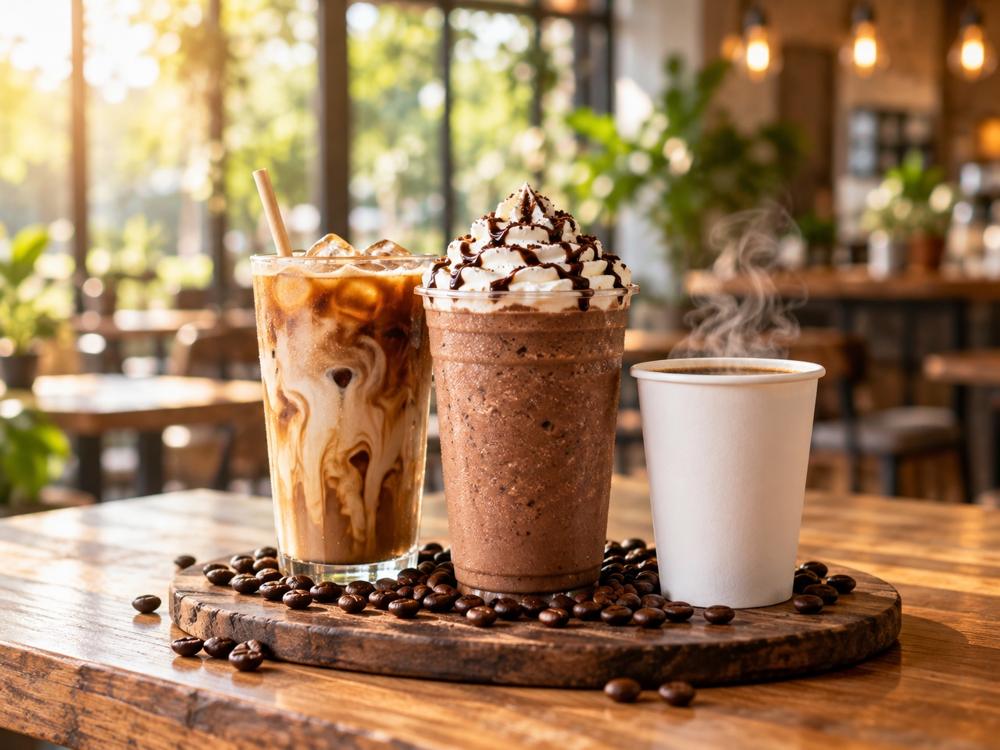
Professional commercial beverage photography, hero banner: a tall iced latte with cream swirling into the coffee in a clear cup with a straw, a frozen mocha topped with whipped cream and chocolate drizzle, and a hot coffee in a plain white unbranded paper cup with steam, grouped in the center of a rustic dark wooden board with scattered roasted coffee beans, on a warm wooden table. Bright airy casual cafe interior with large windows and greenery behind, warm Edison bulb lights, heavily blurred creamy bokeh, 85mm f/2, warm natural window light, golden highlights, condensation droplets, rich appetizing colors. Subject centered with generous space around it so it can be cropped square. No text, no logos, no brand names, no people.
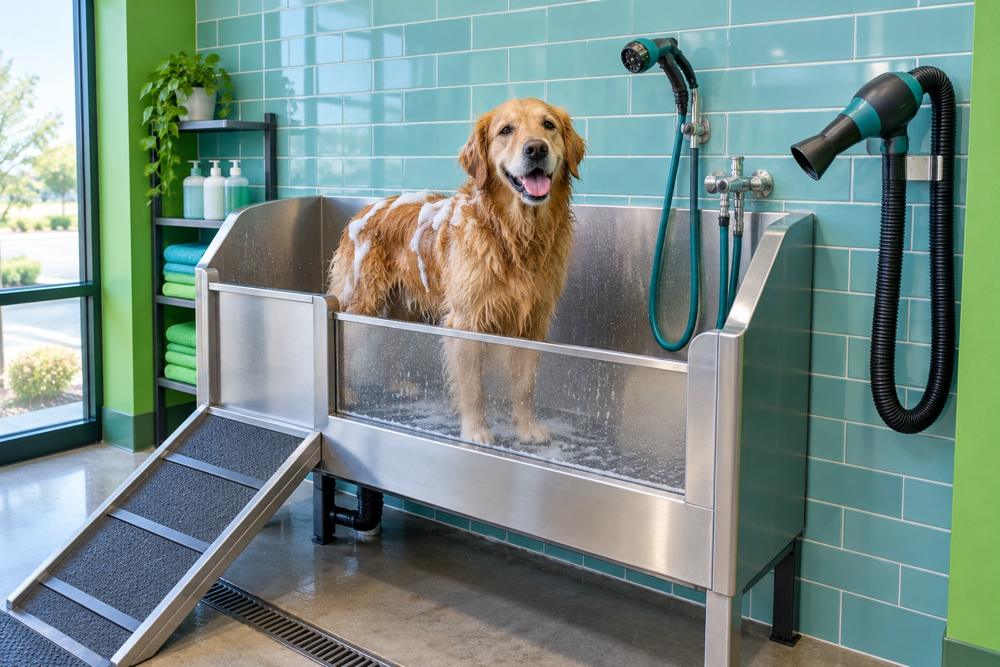
Natural documentary photo of a self-service pet wash station inside a clean, bright convenience-store car wash building: a raised stainless steel dog tub with a short ramp, a wall-mounted sprayer hose and dryer nozzle, aqua-teal tiled wall, a happy golden retriever standing in the tub with a little foam on its back, soft daylight. No people, no faces, no text, no signs, no logos, no prices, no screens. Teal and green color accents, warm and friendly, 3:2 landscape.
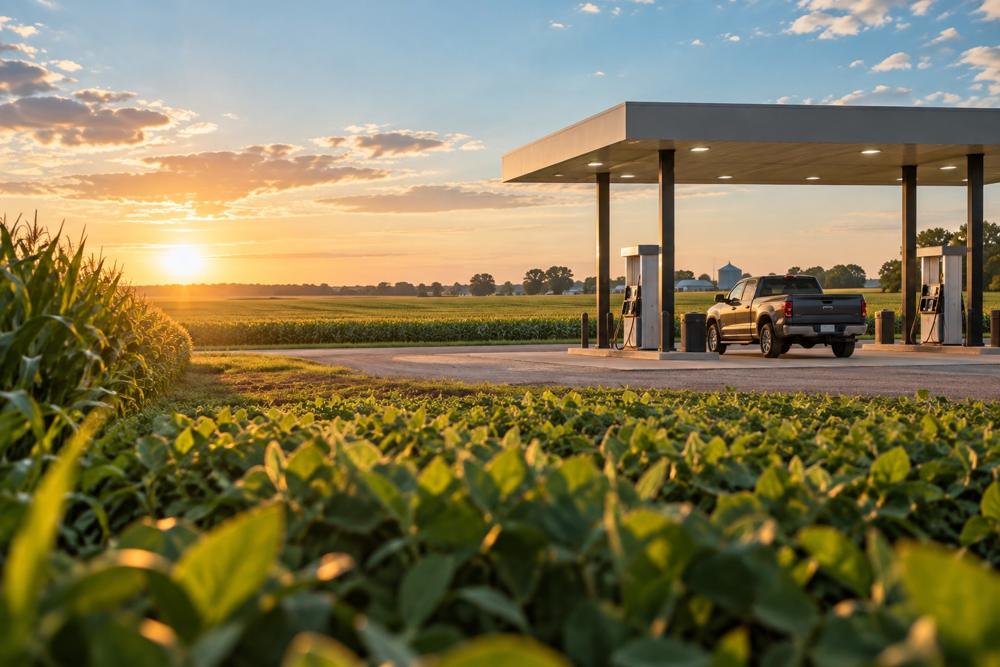
Photorealistic lifestyle photograph, golden late-afternoon light in rural Indiana: rows of green corn and soybean fields stretching to the horizon under a clear blue sky with soft clouds, and in the mid-ground at the edge of the fields a clean modern gas station canopy with a few fuel pumps, a pickup truck parked at a pump. Warm, natural, optimistic mood, shallow depth of field with the crops in the foreground slightly soft. Color palette leaning to fresh greens, teal sky and warm sunlight. No logos, no brand names, no text, no signage, no prices, no people's faces. Landscape 3:2 composition.
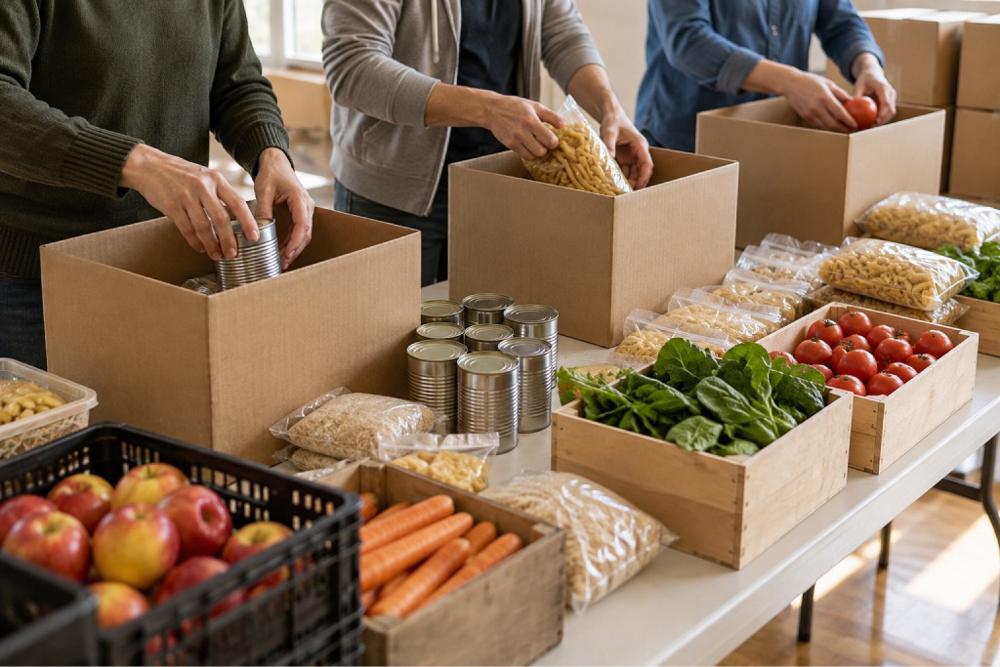
Natural, realistic editorial photograph of a community food drive: volunteers' hands, no faces visible, packing canned goods, pasta and fresh produce into plain cardboard boxes on a long folding table in a bright community hall, a few full boxes stacked behind, warm daylight from windows. Neutral, true-to-life colors with a gentle warm tone, 50mm at f/4, slightly elevated angle. Understated and believable. No text, no logos, no labels on products, no signs, no brand names, no visible faces.
Colorizing a real photograph
Sometimes the image already exists: a real photograph of a store, a menu item or the team, taken on a phone or a professional camera. It does not need to be generated, only brought into the same light and color as the rest of the library. In that case AI is used to color correct the photo, never to change what it shows.
Can change: color temperature, white balance, the warmth of the light, exposure, contrast, saturation.
Must stay as shot: the people, their faces, bodies and expressions, the food and its portion, every product, the store and its signs, the framing and the composition. Nothing is added, removed, moved or retouched.
Use the same model. Upload the original photo to an image tool running gpt-image and paste this prompt. Its blocks mirror the ones above: the light and the finish are the same words, so a corrected photo sits next to a generated one.
[1 Task]        Color correct this photograph. Keep the photo exactly as it is:
                the same people, faces, food, products, store, signs, framing and
                composition. Change only color, light and finish.
[2 Light]       Warm the light so it reads as natural window light or clear
                daylight, with soft shadows. Remove cold blue or green casts and
                any flash or fluorescent look.
[3 Color]       For food: rich, appetizing, natural color. For places and people:
                neutral, true-to-life colors with a gentle warm tone. Whites stay
                clean white.
[4 Finish]      Natural skin tones and texture. Gentle contrast, no HDR, no
                vignette, no artificial grain.
[5 Guardrails]  Do not add, remove, move or reshape anything. Do not change
                portions, toppings or packaging. No beauty retouching, no text,
                no logos. Not an Instagram filter.
Check the result against the original. Put both side by side before approving it. Faces, food, packaging, signs and the crop must match the original exactly; if anything changed beyond color, discard the result and correct the file by hand.
Product photos stay honest. A photo of a menu item can be color corrected, but the item, its size and its toppings stay exactly as served.
Negative guidance
The guardrails block uses short, plain phrases. These are the ones the library relies on, in almost every prompt:
- For clean files: No text, no logos, no brand names. Add no signs, no prices, no screens and no license plate characters for forecourts and stores.
- For packaging: plain white unbranded paper cup, plain kraft paper, no labels on products.
- For people: no people for food and products; no visible faces, seen from behind, hands only when people appear.
- Against drama: Understated and believable, not dramatic.
Keep them short. Describing the bright, clean scene you want works better than a long list of what you do not want.
Consistency rules
- Copy the fixed blocks, do not retype them. Paste the genre line, the setting and the light from an approved prompt so the wording never drifts.
- One setting per series. Images that sit side by side, such as the category tiles, share the same board, table and blurred café behind.
- Same angle per series. Bakery is top-down or centered; drinks and plates are eye level or slightly elevated; places are eye level.
- Brand color in the scene, not in a filter. Teal tiles, green fields, an aqua sky: let the brand colors appear in the world, never as an overall tint.
- Regenerate rather than retouch. If the light, the color or the mood of a generated image is off, adjust the prompt and generate again. Do not fix brand problems in post-production. Real photographs are the exception: they are color corrected, as described in Colorizing a real photograph.
Review checklist
Before an image is published, check it in this order:
- Brand fit. Bright natural light, warm wood and fresh greens, appetizing or true-to-life color. It sits naturally next to the rest of the library.
- Food. The food looks fresh, plausible and generous. No melted, merged or impossible items; no extra fries growing out of a burger.
- Anatomy. Hands and fingers look natural. No extra fingers or merged limbs. Faces are out of frame.
- Text and marks. No garbled letters on cups, signs, screens, packaging or plates; no logos; no prices.
- Truthfulness. The image does not depict a specific store, a real person or a product as it is sold.
- Format. The delivered size is large enough for its slot, and the subject survives every crop the slot needs.
- Record. The prompt, requested size and date are saved with the file.
Ethics and disclosure
- Never as a real product. A menu item, a promotion or a price is shown with a real photograph of that product.
- Never as a real store. A location is shown with real photographs of that store.
- Never as a real person. Generated people are never presented as employees, customers, partners or neighbors, and never illustrate a quote.
- Disclose when required. When a platform, a partner or a regulation asks for AI-generated imagery to be labeled, label it. When in doubt, disclose.
Operational summary
Generate with gpt-image. Pick the genre for the subject, keep the genre line, setting, light and guardrails fixed, and change only the subject. Request the slot’s proportion and check the delivered size. Review every image against the checklist, save its prompt, and keep AI out of real products, real stores and real people. A real photograph is color corrected with its own prompt, changing color and light only.